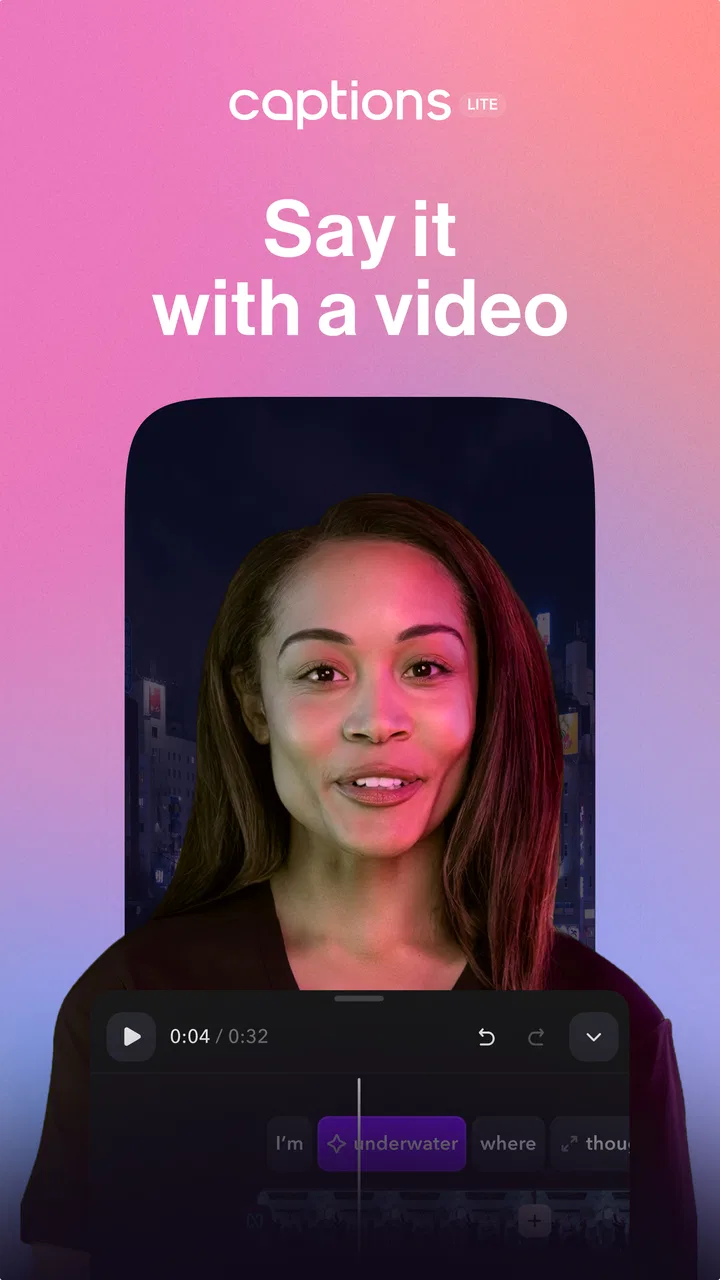
Captions Lite
- 4.1
- Rating
- 1.00M
- Installs
- Free
- Price

 Analysis by App-foxy
I came away from Captions Lite with a clear impression: it is a focused tool for people who want to turn ordinary phone videos into more accessible, watchable clips without spending a long time inside a traditional editor. Its main job is subtitle creation and video editing with AI, and that narrow purpose is also its biggest strength. I would recommend it to someone who regularly posts talking-head videos, quick tutorials, interviews, or social clips and wants captions to be part of the workflow from the beginning.
At the same time, I would not treat it as a complete replacement for a full video editor. The experience is built around getting spoken content into a usable, polished format quickly. If your projects depend on detailed timeline work, precise sound mixing, complex transitions, or extensive manual control, you may eventually find its lighter approach restrictive. My view is that Captions Lite works best as a practical caption-first editor rather than an all-purpose production studio.
How Captions Lite feels in everyday use
The app sits in the video players and editors category, but its identity is more specific than that broad label suggests. Developed by Captions, it is aimed at the moment after recording: you have a clip on your phone, you want people to understand it even with the sound off, and you do not want to rebuild the entire video from scratch.
You May Also Like

 Blood Strike: 2.5 Anniversary
Blood Strike’s Loadouts Turn Every Drop Into a Tactical Gamble
A close look at Blood Strike’s custom loadouts: how fast access to signature weapons reshapes its battle royale rhythm, rewards preparation, and narrows the gap between fights.

 Pandora - Music & Podcasts
Pandora’s Music Is Easy to Start, but Harder to Recover
Pandora’s strength is its low-effort path from a seed to a station. Its weak spot is how much confidence it asks you to place in connection, setup, and quiet recovery.

 8 Ball Pool
 Is Built on Rivalries, Rematches, and Routine
A close look at the rivalries, rematches, shared routines, and unanswered safety questions that turn a quick pool match into a persistent mobile community.

 Samsung Music
’s Quiet Strength Is Playing What You Already Own
Its reach comes less from spectacle than from dependable access to a personal library. That simplicity is both the app’s strongest retention engine and its ceiling.

 AccuWeather: Weather Radar
AccuWeather Review: A Quick, Clear Forecast for Everyday Decisions
For everyday plans, the best forecast is the one you can understand quickly. AccuWeather makes rain timing, radar, and local conditions easy to act on, with a few trade-offs.

 Hill Climb Racing
Why Hill Climb Racing Still Turns Crashes Into One More Run
A tiny car, a bumpy hill and one more upgrade: Hill Climb Racing keeps resurfacing because its simple chaos makes every near-miss feel personal.
More From Our News Desk



That makes the first decision easy. Instead of beginning with a blank project and manually creating text elements, I would start by choosing a spoken clip that already has a clear message. A short explanation, product demonstration, personal update, or lesson is a natural fit. The value comes from reducing the distance between raw speech and a captioned video that feels ready to share.
The app is free to install and is suitable for Everyone, which makes it approachable for casual creators as well as people using video for work or study. Its Android release arrived on March 20, 2024, and the current version is 4.12.0, running on devices with Android 9 or later. Those details matter if you are using an older phone: the operating-system requirement is not especially demanding, but it is still worth checking before planning a workflow around the app.
Its public reception suggests a reasonably established user base rather than a tiny experiment. Captions Lite has passed one million installs, with an average rating of 4.1 from around eighteen thousand ratings and 389 written reviews. I would read that as evidence of useful everyday appeal, not as proof that every device or video will produce the same result. Captioning quality depends heavily on the recording itself, especially when speech is fast, background noise is strong, or several people talk over one another.
Why the caption-first approach is useful
The strongest reason to use this app is that subtitles are not treated as a last-minute decoration. For many mobile videos, captions determine whether the clip works at all. People watch in quiet public places, during commutes, or while sharing a room with someone else. A spoken message without readable text can lose viewers before the main point arrives.
I especially like the idea of using Captions Lite for videos where the speaker is the content. A face-to-camera clip does not need a dozen visual effects to hold attention, but it does need rhythm and clarity. Captions can help divide a long sentence into readable pieces, give the viewer a visual sense of pacing, and make the message easier to follow when the audio is not ideal.
There is also an accessibility benefit. Automatic subtitles are not a substitute for careful review, but they can create a useful first draft for viewers who are deaf or hard of hearing, for people learning a language, and for anyone who processes information more easily when speech is reinforced visually. That is a meaningful reason to caption even a video that seems simple.
My practical advice is to record with the app’s later work in mind. Face the microphone, avoid speaking while walking beside heavy traffic, and leave a small pause between ideas. That pause gives the generated text more breathing room and makes corrections less frustrating. A clean recording can save more time than any editing shortcut.
A realistic workflow for a busy day
Imagine recording a quick update for a small business during a lunch break. You explain a new service in under a minute, but you know many viewers will see it with the volume muted. I would import the clip, let the app create the initial subtitles, and then read them as a viewer rather than as the person who recorded the message.
That distinction is important. Speakers often understand their own intention and automatically overlook missing words or awkward line breaks. I would check names, numbers, technical terms, and any phrase that could change the meaning if one word is wrong. Then I would watch the complete video once without stopping. If the captions appear too quickly, collide with the composition, or cover the speaker’s face, I would fix those presentation problems before worrying about decorative details.
The result does not need to look elaborate. For this type of clip, readable text, sensible timing, and a clear opening sentence are more valuable than excessive styling. The app’s lighter positioning encourages that discipline: finish the message first, then add only the visual treatment that helps the viewer understand it.
A second useful workflow is repurposing. If you already have a short lecture, interview answer, or demonstration, a caption-focused editor can make the material more usable on platforms where silent viewing is common. I would still keep the original file untouched and export a separate captioned version. That gives you room to correct the text later without losing the clean source.
Where the AI helps, and where I would not trust it blindly
AI is most helpful here as a starting point. It can take the repetitive work of turning speech into text and leave me with an editing task instead of a blank screen. That is a major improvement over typing every sentence manually, particularly when a video contains several minutes of continuous speech.
But automatic recognition is not the same as editorial understanding. Accents, names, slang, low-volume speech, overlapping voices, and music under dialogue can all create mistakes. A caption may be grammatically neat while still being wrong in a way that a viewer notices immediately. I would never publish an important announcement, instructional clip, or client video without watching it with the sound off and checking every line.
One of the less obvious trade-offs is that caption accuracy and caption design are separate jobs. Correct words do not automatically produce good subtitles. A sentence may be technically transcribed but split at a strange point, leaving a fragment on screen for too little time. My preferred method is to edit for meaning: keep related words together, avoid breaking a name or phrase awkwardly, and remove unnecessary filler when the context allows it.
Another tip is to review captions at the size people will actually see them. Text that looks comfortable while editing on a phone can feel crowded once the video is viewed in a smaller social feed. I would keep the most important visual area clear and avoid placing text where it competes with faces, demonstrations, or product details.
The meaningful limitations
The main weakness is not that Captions Lite lacks ambition; it is that a lightweight captioning workflow cannot satisfy every editing style. If I were assembling a travel montage with carefully timed music, multiple layers, elaborate transitions, and detailed color adjustments, I would choose a conventional editor with a broader timeline and more granular controls.
The same applies to users who want to fine-tune every frame. A creator who enjoys manually placing text, animating individual elements, and shaping a complex visual sequence may prefer a tool designed around that level of control. Captions Lite makes more sense when speed and spoken-content clarity matter more than building an intricate visual composition.
There is also a financial consideration. The app is free, but in-app purchases range from $4.99 to $629.99 per item. That wide range means I would inspect the purchase screen carefully before committing to a serious workflow. Free access can be useful for testing whether the editing style suits you, while frequent creators should understand which functions require payment and whether the cost matches how often they publish.
I would also avoid assuming that every automatic result is ready to post. The app can reduce repetitive work, but it does not remove the need for judgment. If a clip contains sensitive information, specialist vocabulary, or a message where a small transcription error could cause confusion, manual review is essential. In that situation, the time saved comes from creating a draft, not from skipping quality control.
Compared with manually adding subtitles in a standard editor, Captions Lite should feel faster for speech-led clips because the initial text creation is central to the experience. Compared with a full editing suite, it is likely to feel less satisfying for people who want a deep production environment. Compared with leaving a video uncaptioned, it offers a much better chance that the message survives silent viewing. Those are different comparisons, and the right choice depends on which problem you are actually trying to solve.
Who should use it
I think this app is a strong match for short-form creators, teachers making quick explanations, consultants sharing advice, small businesses introducing services, and anyone who speaks directly to the camera. It is also useful for people who know their videos need subtitles but regularly postpone adding them because the manual process feels tedious.
It can be a good starting point for a new creator who does not want to learn a large editing program immediately. The focused workflow encourages useful habits: record clearly, check the transcript, watch without sound, and publish a message that remains understandable. Those habits are more valuable than collecting complicated effects.
I would be more cautious about recommending it to filmmakers, music-video editors, gaming creators who rely on rapid visual cuts, or professionals who need a carefully managed multi-track project. They may still find it useful for preparing captions on a spoken segment, but it should probably be one tool in their workflow rather than the only editor they use.
Before installing, I would ask myself three questions. Do most of my videos contain clear spoken language? Am I willing to review AI-generated text? Do I value a quick captioning process more than advanced manual editing? If the answer to all three is yes, the app has a sensible role. If the answer to the last question is no, a traditional editor will probably be a better long-term home.
My verdict after using the app
Captions Lite succeeds because it focuses on a problem that many mobile creators genuinely have: turning spoken video into something people can follow with or without sound. Its AI-assisted subtitles can provide a useful first draft, and the editing side is best understood as support for that central task rather than as a replacement for a professional post-production suite.
I appreciate that the app can make captioning feel like a normal part of recording instead of an unpleasant chore saved for the end. The best results come from short, clearly recorded clips and from a creator who is prepared to proofread. That combination produces videos that are more accessible and easier to consume without requiring an elaborate production setup.
My recommendation is specific: try it if your content is built around speech and you want a quicker route to readable subtitles. Use the free version to judge the workflow on your own recordings, then examine the in-app purchase options before paying for regular use. Skip it as your main editor if you need deep timeline control or highly complex visual design.
For the right audience, the real advantage is not flashy editing; it is removing the friction between speaking and being understood. That makes Captions Lite a practical choice for everyday captioned video, with enough flexibility to be useful but clear limits that experienced editors should recognize before making it their only tool.
FAQs for Captions Lite
01What is Captions Lite and what can I use it for?
Captions Lite is a versatile app designed to add subtitles and captions to your videos effortlessly. Whether you're a content creator, educator, or just sharing moments with friends, Captions Lite provides an intuitive platform to enhance your video content, making it more accessible and engaging for all viewers.
02Is Captions Lite available for both Android and iOS devices?
Yes, Captions Lite is available for both Android and iOS platforms. You can download it from the Google Play Store for Android devices and the Apple App Store for iOS devices, ensuring a seamless experience regardless of your device preference.
03Does Captions Lite require an internet connection to function?
Captions Lite primarily operates offline, allowing you to work on your captions without needing a constant internet connection. However, certain features, such as cloud storage integration or updates, may require internet access to function properly.
04What are the customization options available in Captions Lite?
Captions Lite offers a variety of customization options, including font styles, sizes, colors, and positioning of captions. This flexibility ensures that your captions not only match your video's aesthetic but also enhance readability and viewer engagement, catering to diverse audience preferences.
05Is Captions Lite free, or does it have any in-app purchases?
Captions Lite is free to download, providing essential features at no cost. However, it may offer in-app purchases to unlock premium features such as advanced editing tools, additional fonts, or an ad-free experience. Users can choose to upgrade based on their specific needs and preferences.
Pros
- User-friendly interface for quick editing.
- Wide range of font styles available.
- Option to save drafts for future editing.
- Integrates seamlessly with social media.
- Supports multiple languages for captions.
Cons
- Limited features in the free version.
- Occasional ads can be intrusive.
- No offline editing capability.
- Limited photo editing tools.
- Restricted export options without subscription.

Captions Lite
Gallery